How AI video analytics works on existing CCTV
· Updated · Slinai
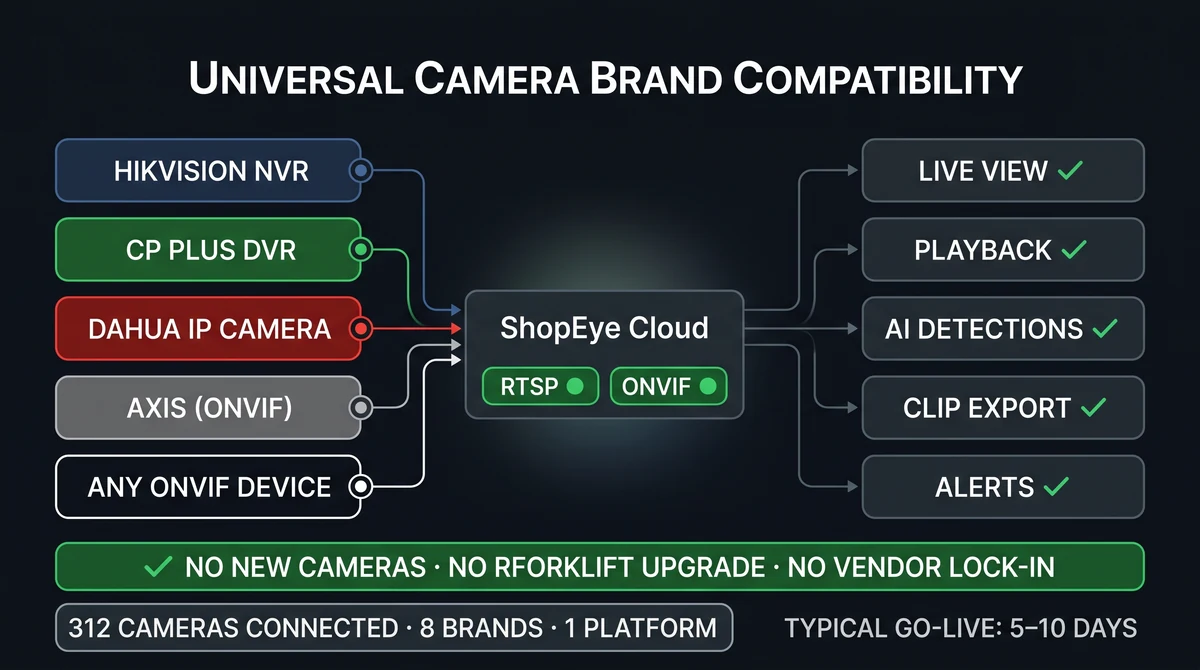
Key facts
| Connect | RTSP / ONVIF from existing IP cameras or NVR/DVR — Hikvision, CP Plus, Dahua, and peers |
|---|---|
| Hardware overhaul | Not required. Optional edge gateway is not a camera replacement |
| Deploy modes | Cloud, on-prem edge, or hybrid — pick per site for WAN and residency |
| Security baseline | TLS in transit, RBAC, audit logs, privacy-safe analytics (no facial recognition by default) |
| Pilot | 1–2 weeks typical: connect, calibrate, route WhatsApp/Slack/Teams, UAT |
“Works on existing cameras” is either a deployment architecture or a slide. This post is the architecture.
Slinai — and any serious AI video analytics product — should treat your NVR as a sensor bus, not a leftover to throw away. The Cloud VMS gives multi-site live view and playback. Edge & on-prem keeps inference local when the WAN or the compliance team requires it. Security & privacy explains encryption, RBAC, and DPDP-aligned design.
If you need the interaction model (questions + standing watches), read what is agentic AI video analytics. If you need a vendor checklist, use the India buyer’s guide.

What “existing CCTV” means in Indian sites
Most multi-site operations already have:
- 4–32 cameras per store or dark store, more in plants and campuses.
- A Hikvision / CP Plus / Dahua (or mix) NVR in a locked room.
- Recording that is reviewed after an incident, not used every hour.
- Inconsistent aiming: great on the cash desk, useless on the stock-room door.
Analytics does not fix a camera pointed at a light. It uses the views that already see the work. Entrance, queue, kitchen pass, pick aisle, dock, and perimeter are the usual first four.
Analog cameras are fine if the DVR already outputs a usable digital stream. The constraint is image quality and placement, not the brand badge on the dome.
The connect path (what actually happens)
- Inventory — list cameras by job (entrance, billing, kitchen, dock), not by “camera 7.”
- Reachability — RTSP URLs or NVR vendor API; firewall rules so the gateway or cloud connector can pull streams.
- Calibrate — draw zones and lines (door, queue polygon, restricted hatch). This is where accuracy is won.
- UAT — run a week on real traffic; tune thresholds; confirm WhatsApp/Slack/Teams routing.
- Clone — same playbook to the next site. SSO and a shared dashboard keep HQ sane.
Slinai pilots typically complete this in 1–2 weeks per first site. You book a demo on your footage so the UAT is not a stock video.
No proprietary camera lock-in. Optional edge hardware is a compute box, not a lens tax.
Cloud vs edge vs hybrid
| Mode | When it fits | Trade-off |
|---|---|---|
| Cloud | Stable WAN, many sites, HQ wants one VMS | Footage or clips leave the site (retention is configurable) |
| Edge / on-prem | Weak WAN, offline hours, residency, low latency | You operate a gateway; HQ still gets events |
| Hybrid | Most Indian retail, QSR, and warehouse fleets | Design the split: local inference, NVR keep, cloud for search and agent |
Edge & on-prem is the module for residency, offline sites, and on-site control. Cloud VMS is the module for live, playback, and hierarchy when you do centralise viewing.
Do not let a vendor force one mode for every pin on the map. A hill-station store and a Mumbai dark store are not the same WAN.

Bandwidth, storage, and what must not leave the site
Analytics does not need to upload every frame 24/7. A sane design sends events, short clips, and health, and leaves long GOP recording on the NVR you already paid for.
Security & privacy covers:
- TLS in transit; encryption at rest for cloud retention.
- RBAC and audit logs for who watched or exported a clip.
- Privacy-safe analytics — behaviour, not biometric identity by default.
- DPDP-oriented purpose limitation and minimisation.
If legal says “video never leaves this plant,” that is an edge conversation, not a reason to skip analytics.

When you should add or move a camera
Replace or add a camera only when the job is impossible:
- Entrance is a fisheye blob; people cannot be counted.
- Queue is filmed from the side at 15 metres; bodies overlap into mush.
- Kitchen SOP camera sees the pass but not the prep table you care about.
- After-hours door is in a dark corridor with no IR.
That is facilities work. It is cheaper than a “AI-ready” camera refresh of a working fleet.
What good looks like after go-live
- Duty managers get clip-backed alerts, not a 40-event spreadsheet.
- HQ can open Cloud VMS for the same minute.
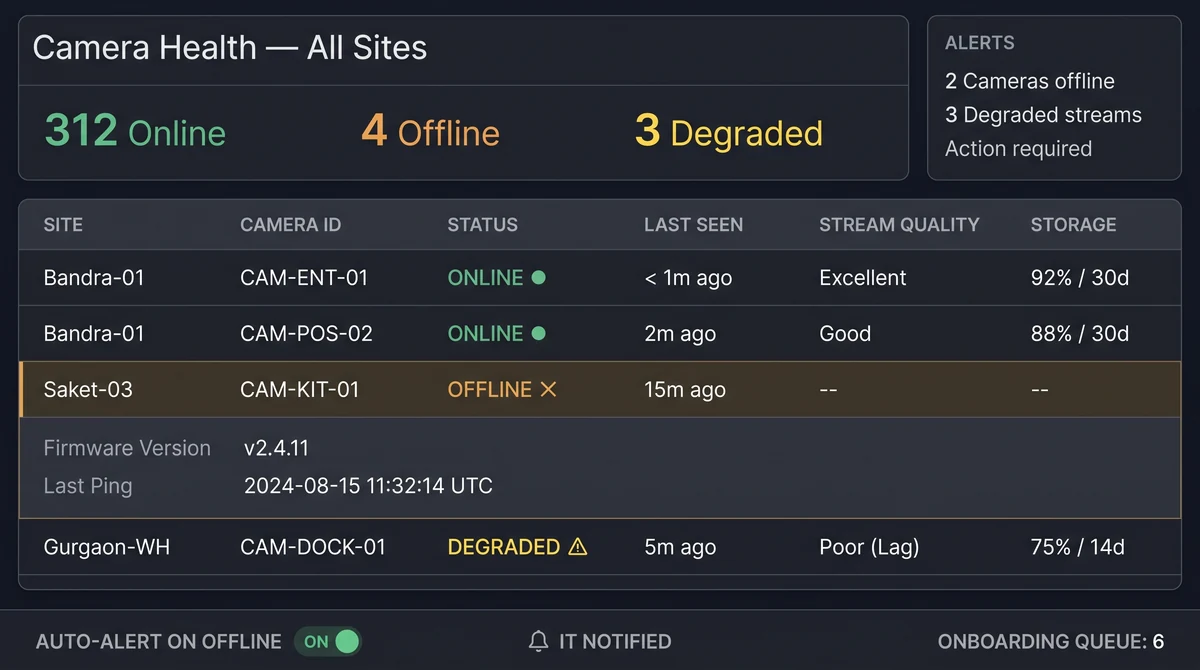
- Someone owns camera health — a down stream is a down KPI.
- The FAQ questions (accuracy, languages, POS) are answered in the contract, not the brochure.
Then expand detections: retail footfall, queues, loss, or the industry hub that matches the site.
Next reads
Common questions
Will this work with analog cameras?
Yes, if they already terminate on a DVR/NVR that can expose a digital stream (common in India). Slinai consumes the stream, not a proprietary analog protocol. Very old, noisy, or mis-aimed cameras still need a physical fix.
Do I need to rip out my NVR?
No. The NVR stays the recorder of record if you want it to. Analytics connects alongside — live analytics plus VMS search — rather than forcing a forklift upgrade.
Cloud, edge, or hybrid?
Cloud is simplest for multi-site live view. Edge keeps inference on-site for latency, weak WAN, or residency. Hybrid is the usual India pattern: process locally, send events and clips, keep long footage on the NVR.
Where does footage live?
You choose. Many sites keep primary recording on the existing NVR. Cloud retention is optional. Edge and on-prem options support residency — see Security & privacy and Edge & on-prem.
How long does a pilot take?
Most Slinai pilots go live in 1–2 weeks: RTSP connect, zone calibration, alert routing, and UAT on your footage. Multi-site rollouts then clone the playbook store by store.
Related pages
Guides in this cluster point to live product, industry and use-case pages.
Related guides
Restaurant queue management: host stand to takeaway
Restaurant queue management on existing CCTV: time host-stand parties, billing and takeaway counter waits, and catch walkaways before guests leave.
Cold storage ingredient compliance in cloud kitchens
Cloud kitchen cold-storage analytics flags door-open dwell and ingredient pulls that sit in the warm aisle — process evidence beside a logger, not a replacement for it.
Cloud kitchen complaint forensics from KOT timestamps
Cloud kitchen complaint forensics ties a refunded order ID to the right prep-camera window using KOT and POS timestamps, not bag logos.