Run video AI where your cameras live
Keep live video, recordings, and AI detections on-site with an edge gateway — then optionally sync events and clips to the cloud for multi-site dashboards. Built for Indian enterprises that need residency, offline resilience, or scarce WAN bandwidth — without ripping out existing CCTV.
What is Slinai Edge & on-prem?
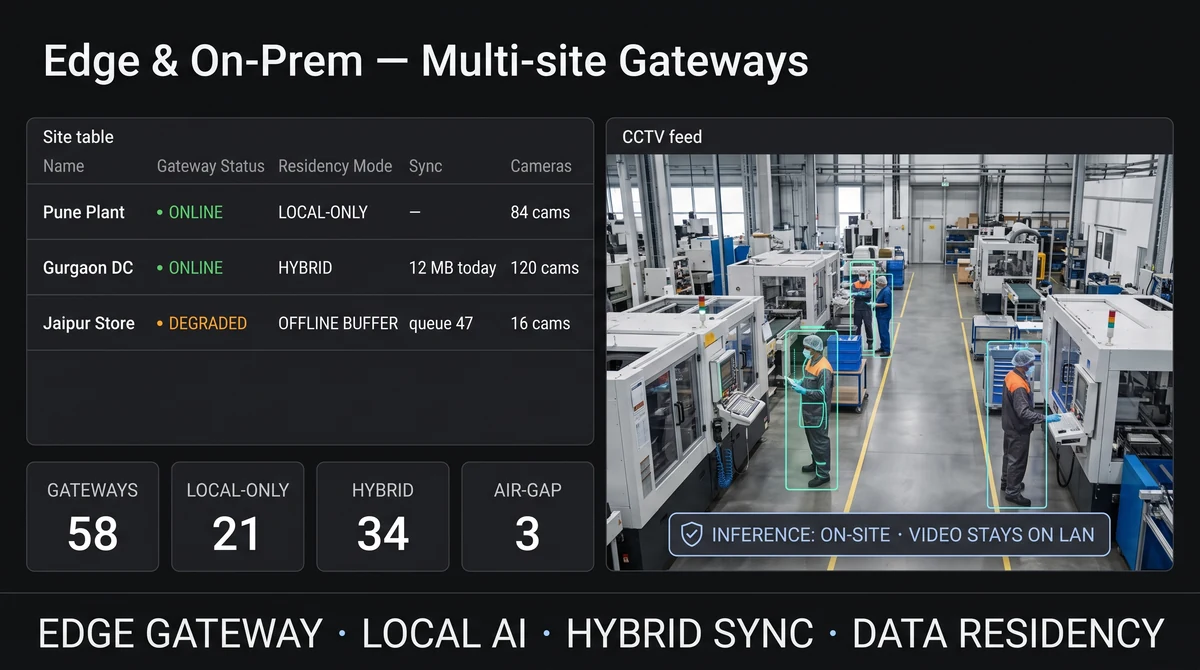
Slinai Edge & on-prem is a deployment mode where video processing and AI run on an on-site gateway connected to your existing NVRs and IP cameras. Footage can stay inside your LAN or private data centre. Optional hybrid sync uploads only events, clips, or KPIs to Slinai cloud so regional and HQ teams still get WhatsApp alerts and dashboards — without continuous video streaming to the public internet.
Explore Edge & on-prem video AI
Each module runs on the cameras you already own — start with one, add others as you scale.
Edge & on-prem walkthrough
Add a 90-second demo (gateway install → local AI → hybrid sync → WhatsApp alert).
What Edge & on-prem video AI delivers
Edge gateway on-site
Deploy a compact appliance or VM next to your NVR — ingest RTSP/ONVIF, run detections, and serve local live view.
Local AI processing
Footfall, queues, PPE, intrusion, and agentic queries can run at the edge so continuous video never leaves the building.
Offline-first alerts
When internet drops, detection continues; events queue locally and flush when connectivity returns.
Hybrid cloud sync
Upload only clips, events, and KPI rollups — control bandwidth while HQ still sees what matters.
Data residency controls
Keep primary footage in-network or in-country; define who can request remote playback and for how long.
Same product surface
Operators use familiar Cloud VMS, Video AI, and Video alarms workflows — deployment changes, product language does not.
From connect to insight
Place the gateway
Install Slinai edge software on approved hardware or a VM on your LAN, adjacent to recorders.
Connect cameras & NVRs
Point the gateway at RTSP/ONVIF streams — Hikvision, CP Plus, Dahua, Axis, and generic ONVIF.
Choose residency policy
Keep video local-only, or enable hybrid sync for events/clips with retention and bandwidth caps.
Alert & oversee
Route WhatsApp/SMS alerts from the edge; optionally mirror KPIs to multi-site cloud dashboards.
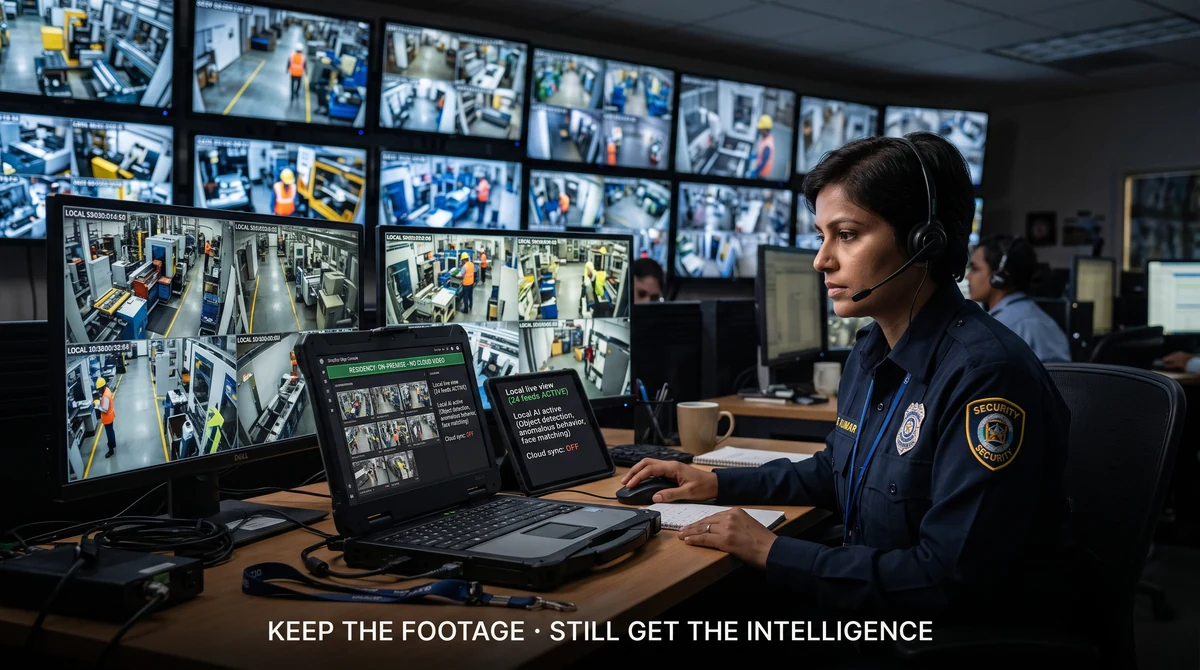
Keep the footage. Still get the intelligence.
Banks, manufacturers, defence-adjacent campuses, and regulated retail often cannot stream continuous CCTV to a public cloud. Slinai Edge processes video inside your network so detections, clips, and live view stay under your IT policy — while ops teams still get the same AI outcomes: queues, PPE, intrusion, and agentic search.
Start local-only at sensitive sites and turn on hybrid sync later for regional managers who need WhatsApp alerts without VPN into every store.
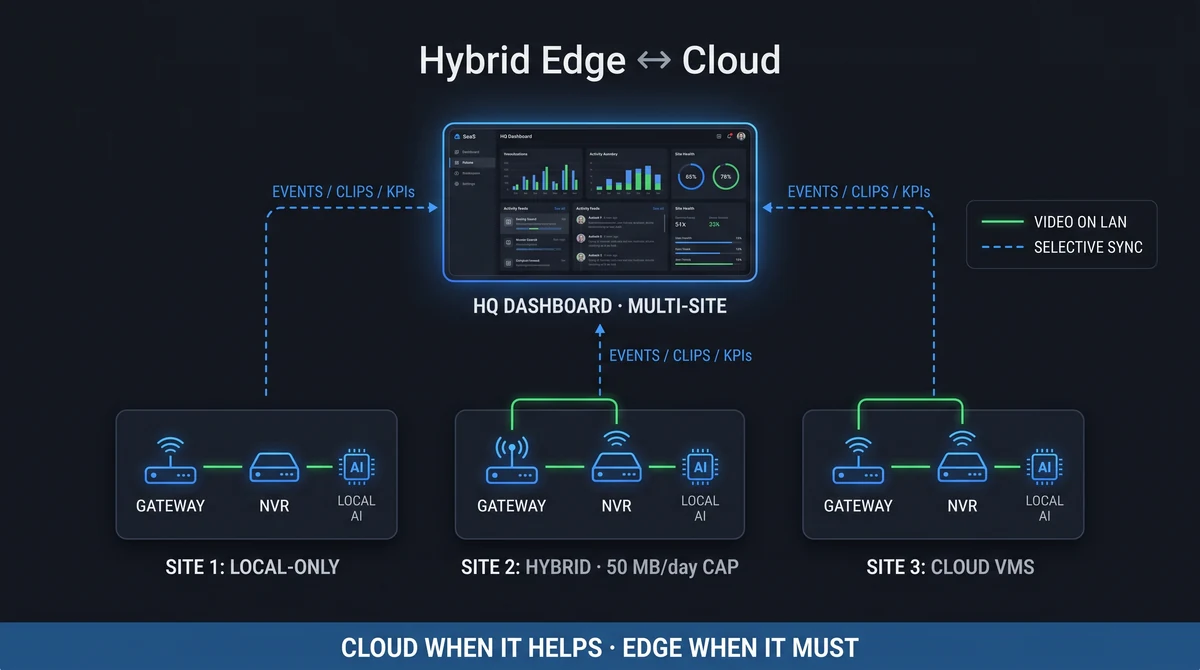
Cloud when it helps — edge when it must
Not every camera needs the same deployment. Dark stores on poor 4G keep AI on-site and sync event digests overnight. Metro HQs run Cloud VMS for live multi-site view. Slinai treats edge and cloud as one platform with shared roles, alert channels, and detection packs.
IT sets bandwidth ceilings and clip upload windows; security sets who can pull remote playback. Operations gets continuity either way.
Explore further
Industries served, use case playbooks, and platform modules that connect with Edge & on-prem video AI.
Where teams use this
Outcome playbooks
See Edge & on-prem video AI on your cameras
Tell us about your sites and we'll show what Slinai surfaces on the CCTV you already own.
Common questions
Do we need new cameras for edge?
No. Edge connects to existing IP cameras and NVRs via RTSP/ONVIF — same as Cloud VMS.
Can video stay 100% on-premise?
Yes. Local-only mode keeps recordings and live view inside your network. Cloud sync is optional and can be limited to metadata, events, or short clips.
What happens if the internet goes down?
Local AI and recording continue. Alerts queue on the gateway and deliver when WAN returns; optional local SMS/email gateways can notify on-site staff meanwhile.
Is this the same as Cloud VMS?
Same product capabilities — different deployment. Edge runs processing on-site; Cloud VMS centralises more of the video layer in Slinai cloud. Hybrid sites can mix both.
Where is the edge hardware sourced?
Slinai supports certified appliance SKUs and software-only installs on customer-managed servers that meet CPU/GPU and storage specs.
Talk to us — or see it live
Tell us about your sites and goals, and we'll show you exactly what Slinai surfaces on your existing cameras.
Book a live demo
A focused 30-minute session, tailored to your operation.
- Live walkthrough on footage like yours
- Your top use-cases mapped to detections
- Deployment plan for your cameras & sites
- Indicative pricing and ROI estimate
Or reach us directly