See the transaction and the camera angle
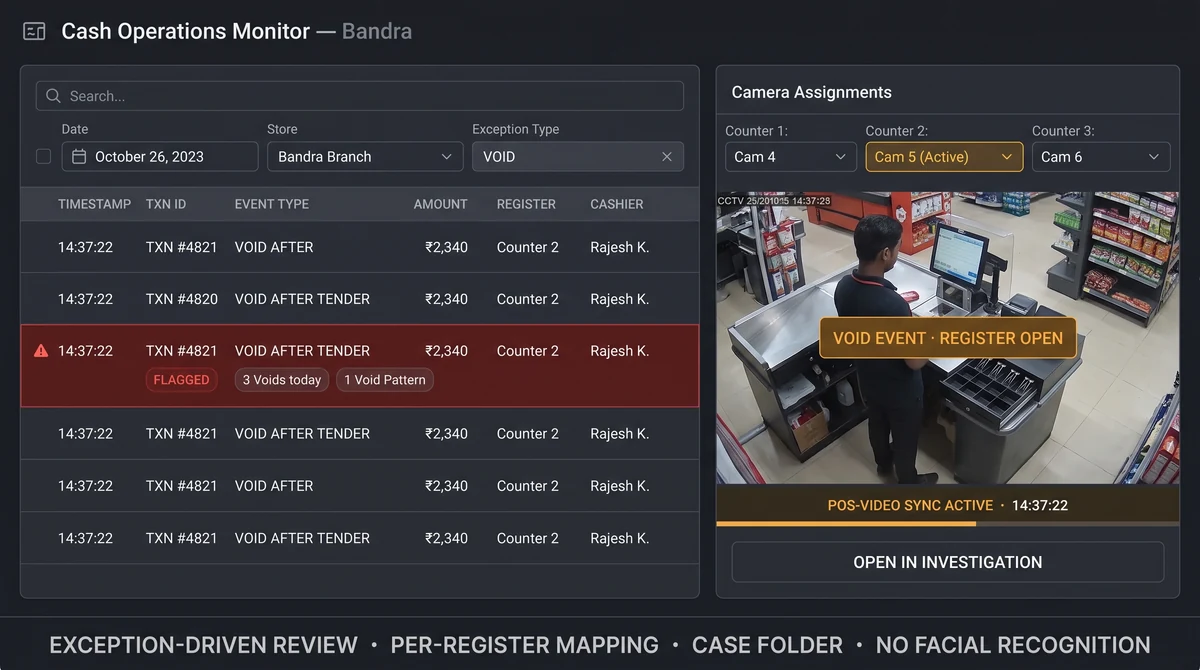
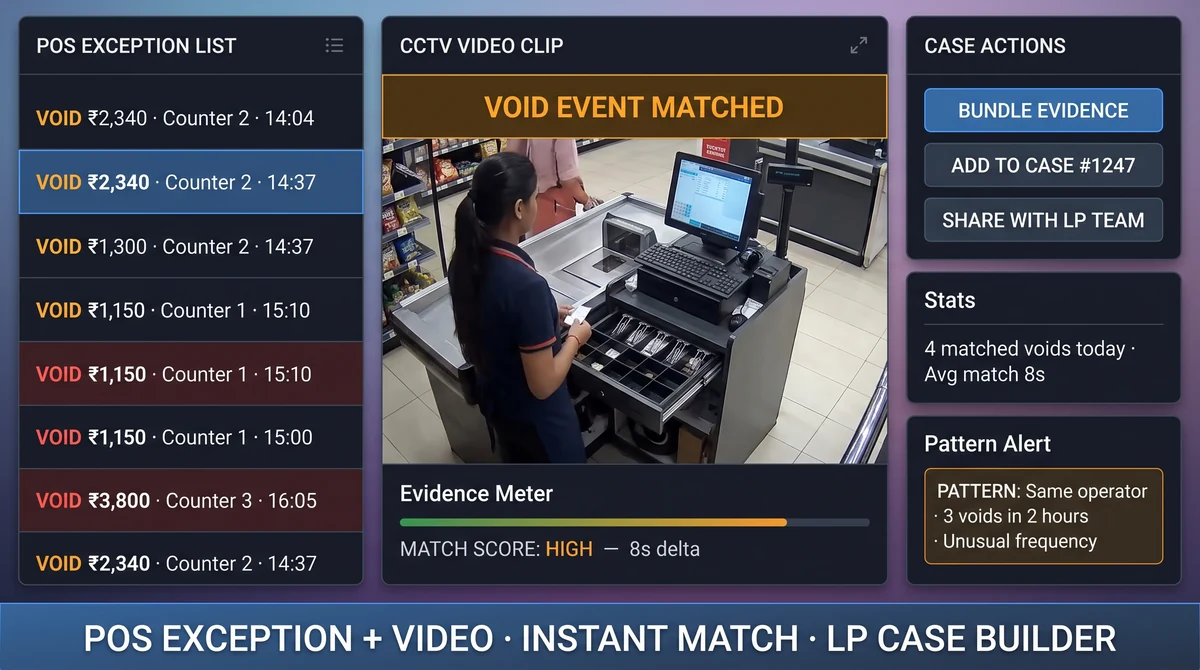
When a void or refund fires at the till, Slinai opens the matching camera segment automatically. LP teams stop guessing which hour of footage to scrub.
How does POS integration work?
Slinai ingests POS events — voids, refunds, discounts, no-sales, and custom exception codes — and aligns them with camera timelines per register. Users click an event to jump to synchronized playback; LP can bundle clips with transaction metadata for case files.
What POS integrations delivers
Exception-driven review
Filter by void, refund, or high-risk codes; open video in one click without manual NVR scrubbing.
Multi-register sites
Map each till to checkout, entrance, or stockroom camera angles per store layout.
Audit-ready case files
Export clips with transaction ID, operator, and timestamp metadata for LP or HR proceedings.
Trend dashboards
See exception rates by store, shift, and register alongside video-derived KPIs for pattern detection.
POS override & walkout detection
Surface open-cash-drawer anomalies or walkouts at billing that match no POS transaction.
Shift-level accountability
Exception counts per shift supervisor for coaching, root-cause reviews, and performance management.
Shrink investigations in minutes, not shifts
Regional LP leads across Indian retail chains review dozens of exceptions weekly. POS integration cuts triage from hours of manual NVR review to a shortlist of flagged transactions with video attached.
Works alongside Cloud VMS playback and Video AI queue or intrusion detections — no facial recognition, only behavioural and transactional correlation.
Order accuracy and handoff disputes
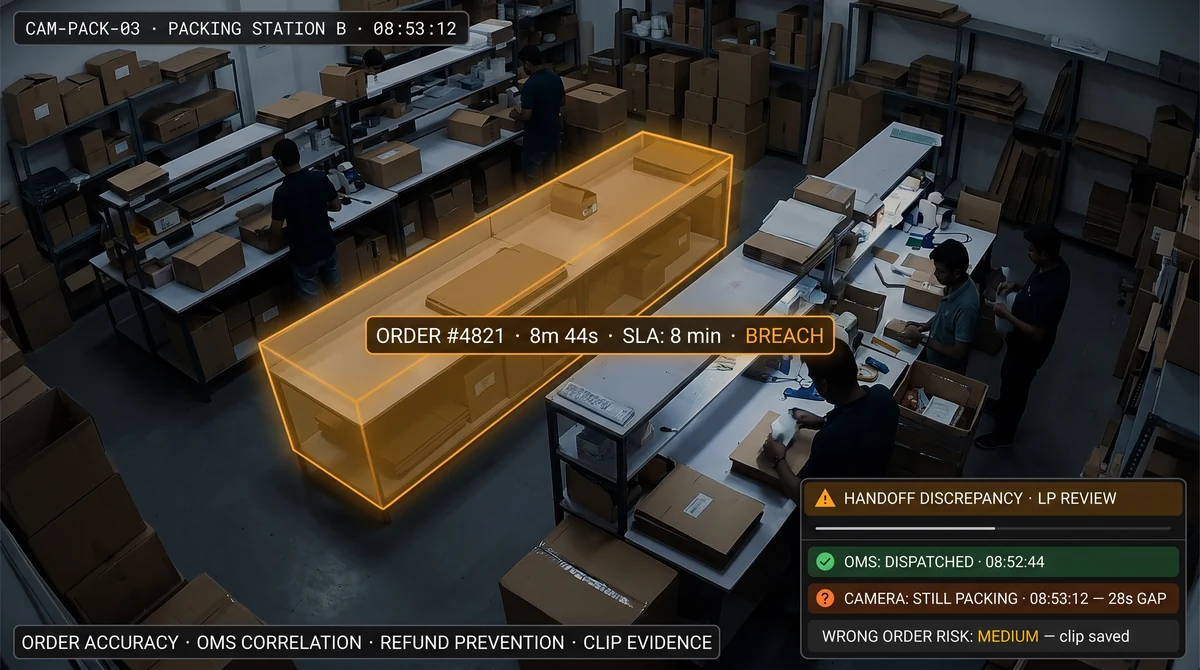
Cloud kitchens and dark stores pair POS or OMS events with packing-station cameras to settle wrong-item claims and refund disputes with evidence both sides accept.
QSR chains correlate billing speed with queue camera data — if a counter has high queues but low transaction volume, something is off with staffing or till assignment.
Explore further
Industries served, use case playbooks, and platform modules that connect with POS integrations.
Where teams use this
Outcome playbooks
Works best with
See POS integrations on your cameras
Tell us about your sites and we'll show what Slinai surfaces on the CCTV you already own.
Common questions
Do we need to replace our POS?
No. Slinai connects to existing POS via supported APIs or secure file drops; we map registers during onboarding.
Can integration work without real-time sync?
Yes. Batch imports still align events to video; real-time sync is preferred for active LP workflows.
Is cardholder or customer PII stored?
Slinai focuses on transaction metadata and video correlation. Card numbers and unnecessary PII are not required for integration.
Does Slinai support offline POS sync?
Yes. Batch file imports work when real-time API sync is unavailable; events align to video once uploaded.
Can multiple POS vendors run on one site?
Yes. Mixed-vendor sites map multiple register feeds to camera zones on a per-site basis during onboarding.
Talk to us — or see it live
Tell us about your sites and goals, and we'll show you exactly what Slinai surfaces on your existing cameras.
Book a live demo
A focused 30-minute session, tailored to your operation.
- Live walkthrough on footage like yours
- Your top use-cases mapped to detections
- Deployment plan for your cameras & sites
- Indicative pricing and ROI estimate
Or reach us directly