Know when someone shouldn't be there
Schedules arm entrances, stockrooms, and yards when staff leave. AI-filtered intrusion alerts with clips reach your on-call security on WhatsApp — they verify and decide next steps.
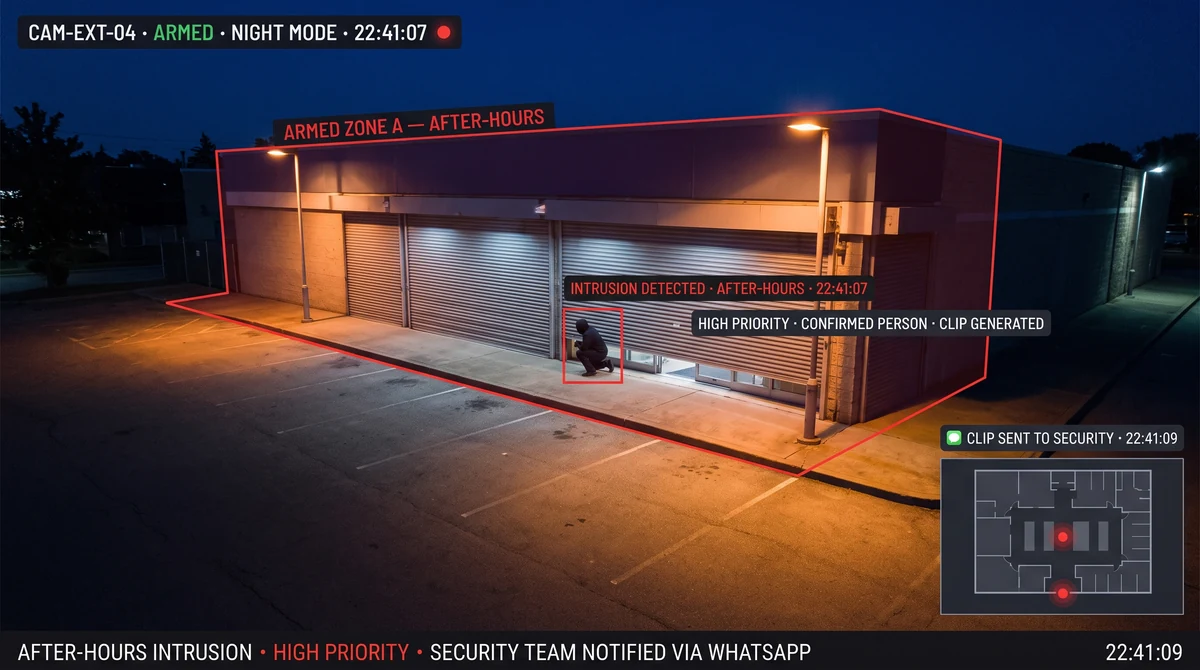
How do after-hours intrusion alerts work?
Admins set arm/disarm windows per site or zone. When the site is armed, Slinai detects people or vehicles in protected areas, generates a short clip, and notifies configured contacts. Your team opens the clip, acknowledges or escalates internally — Slinai does not operate a monitoring desk.
What After-hours intrusion delivers
Flexible arming schedules
Different arm windows for retail close, warehouse night shift, and campus exam weeks — all managed from HQ.
WhatsApp to on-call security
Clip links reach on-call leads instantly — the channel Indian teams answer after hours on budget data plans.
Entry & motion zones
Focus alerts on doors, shutters, and loading bays — ignore public footpaths outside the protected perimeter.
Audit trail
Log who was notified, when they opened the clip, and what ack or escalation action was taken.
Night-mode optimisation
Tune sensitivity for low-light conditions common in Indian retail and warehouse night environments.
Holiday calendar support
Auto-apply different arm windows for Indian national and regional public holidays — no manual schedule changes.
Close the store — keep eyes on the floor
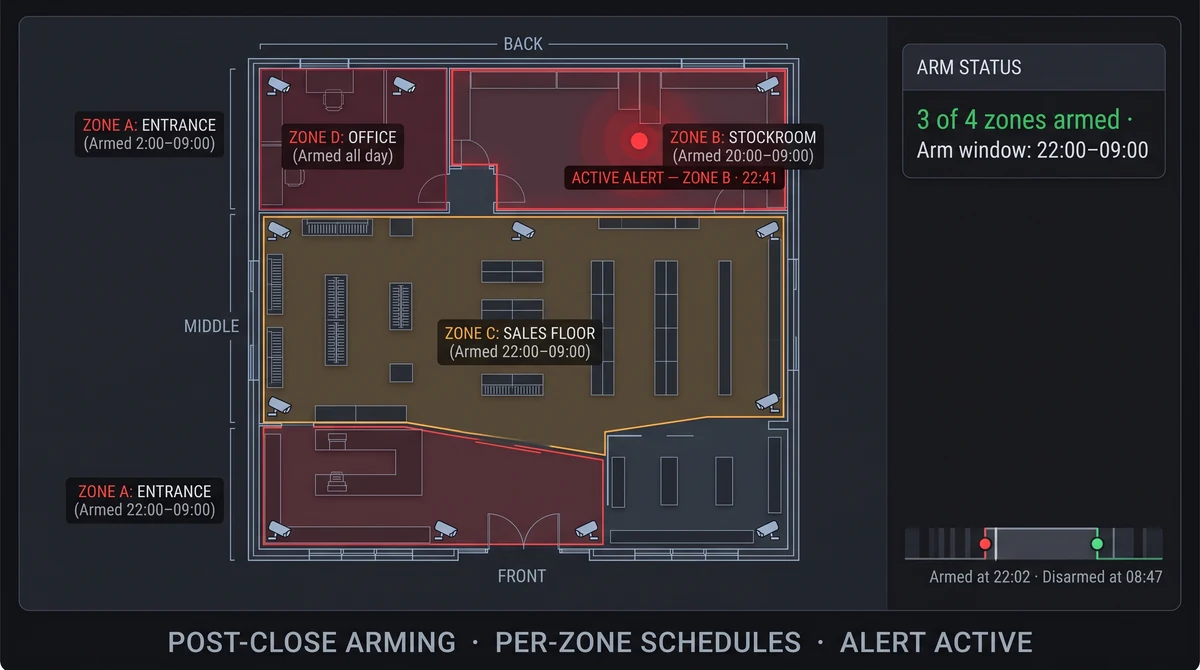
Post-close intrusions in Indian retail often involve back-door entry or stockroom access. Arming checkout and stock zones after shutter down cuts noise from street traffic while catching real entry events.
Pair with POS integration to confirm no late transactions coincide with motion — faster context for security leads deciding whether to dispatch a guard.
Overnight protection for larger estates
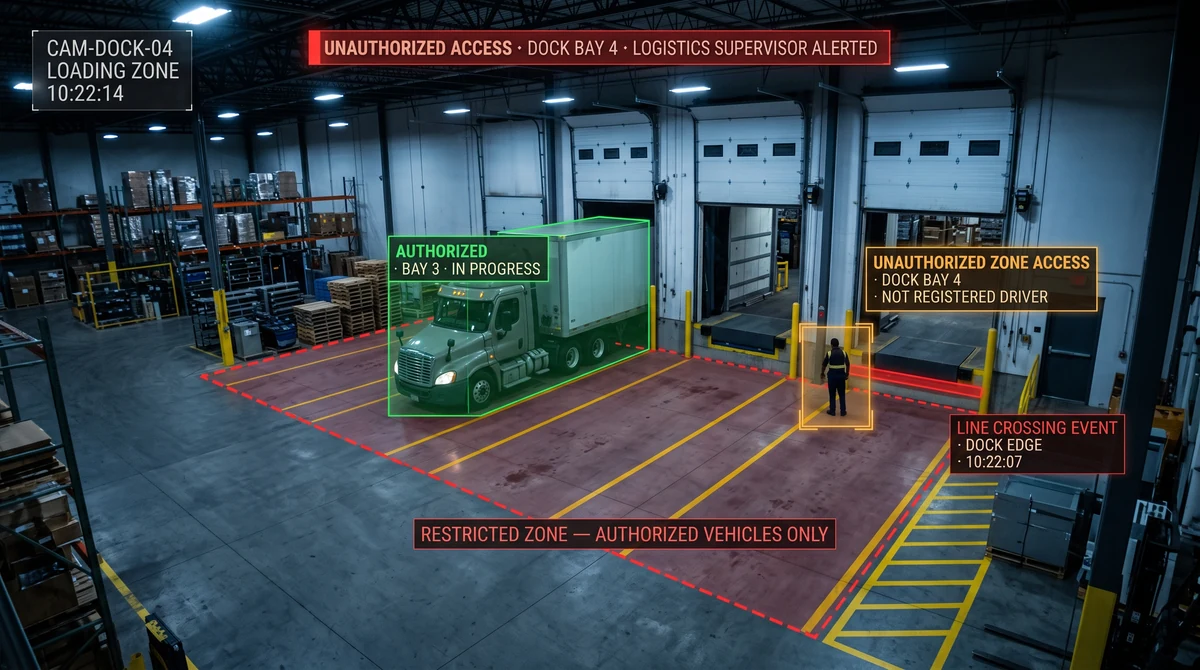
Plant floors, machinery bays, and campus server rooms arm for full-night windows. AI filters suppress HVAC vibration and animal motion common in Indian warehouse environments — sending only confirmed human or vehicle entry events to your security team.
Night-mode tuning during onboarding calibrates for lower-light camera feeds typical of older CCTV estates, so false alerts from shadows or reflections don't train teams to ignore notifications.
Explore further
Industries served, use case playbooks, and platform modules that connect with After-hours intrusion.
Where teams use this
Outcome playbooks
Works best with
See After-hours intrusion on your cameras
Tell us about your sites and we'll show what Slinai surfaces on the CCTV you already own.
Common questions
Can one site have multiple arm schedules?
Yes. Different zones can arm at different times — e.g. sales floor at 10pm, stockroom after last picker leaves at 8pm.
What if the alert is a false positive?
Recipients dismiss with reason codes; tuning feedback improves AI filters for that zone over the first 2–4 weeks.
Does Slinai call police?
No. Your organisation decides escalation after clip verification. Slinai is not a professional alarm monitoring service.
Can arming schedules handle public holidays?
Yes. Holiday calendars auto-apply different arm windows for Indian national and regional holidays without manual changes.
What happens if connectivity is lost overnight?
Alerts queue and deliver when connectivity restores; edge deployments continue local detection and log events without cloud upload.
Talk to us — or see it live
Tell us about your sites and goals, and we'll show you exactly what Slinai surfaces on your existing cameras.
Book a live demo
A focused 30-minute session, tailored to your operation.
- Live walkthrough on footage like yours
- Your top use-cases mapped to detections
- Deployment plan for your cameras & sites
- Indicative pricing and ROI estimate
Or reach us directly