Draw the line. Get the alert.
Mark perimeters and no-go zones on your existing camera views. Slinai alerts when someone crosses, enters, or dwells too long — with a clip your team verifies before responding.
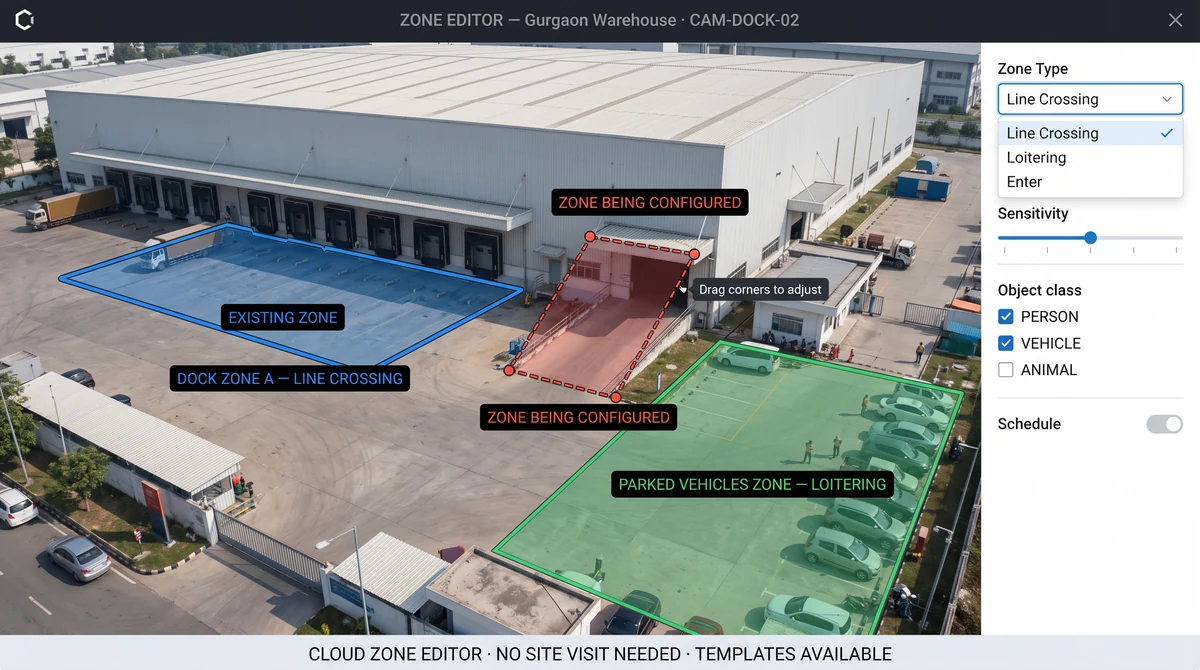
What are perimeter and restricted zone alarms?
Operators draw virtual lines and polygons on camera feeds to define perimeters, stockrooms, cash offices, and loading docks. Detections fire on cross, enter, or loiter events — filtered by object type and schedule. Alerts include clips routed to WhatsApp, Slack, or SMS; verification stays with your security team.
What Perimeter & restricted zones delivers
Line crossing
Detect when someone steps over a dock edge, fence line, or stockroom threshold — day or night.
Loitering rules
Alert when a person or vehicle stays in a restricted area beyond a configurable time threshold.
Multi-camera perimeters
Stitch virtual fences across camera handoffs — blind spots at corners or gates covered by overlapping zones.
No biometrics
Zone geometry and behaviour only — Slinai does not identify individuals by face or biometric signature.
Schedule-aware rules
Different zone rules during trading hours vs after close — stock zones active 24/7, sales floor loitering only at night.
Cloud zone management
Draw and update zone polygons from the cloud interface — no on-site visit required after initial calibration.
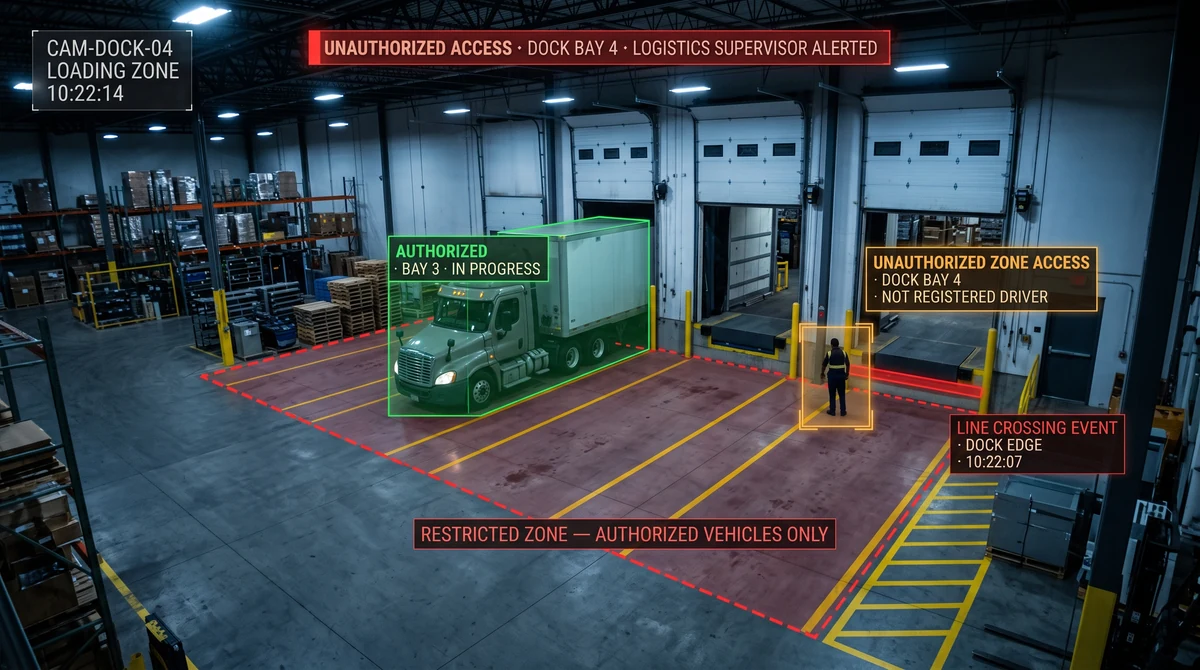
Protect docks, yards, and server rooms
Logistics sites in India need dock lines that alert when unauthorised personnel enter loading bays. Campuses restrict server rooms and exam halls — video zones enforce policy without badge integration on day one.
Multi-camera perimeters cover large yards where a single camera misses corner blind spots; zone templates from similar-format sites reduce setup time on new locations.
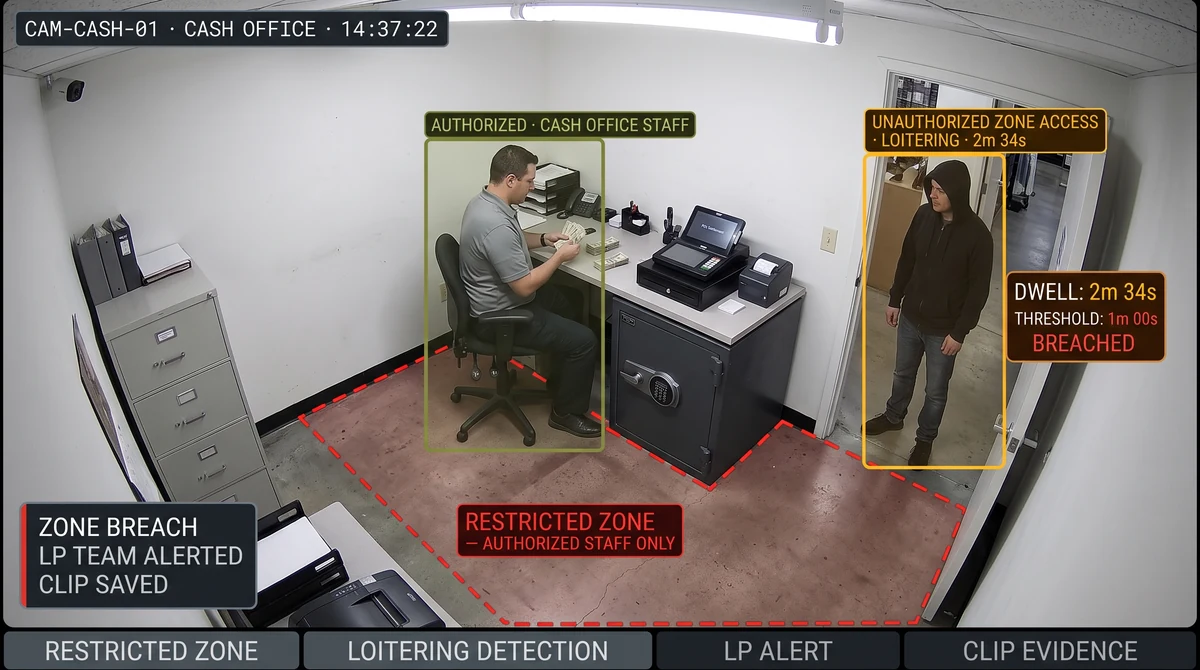
Restricted zones behind the counter
Cash offices and electronics cages get loitering and entry rules during trading hours too — LP receives a clip when someone lingers where only staff should be.
Pair with POS integration to correlate restricted-zone entries with transaction exceptions at the same register for stronger LP evidence.
Explore further
Industries served, use case playbooks, and platform modules that connect with Perimeter & restricted zones.
Where teams use this
Outcome playbooks
Works best with
See Perimeter & restricted zones on your cameras
Tell us about your sites and we'll show what Slinai surfaces on the CCTV you already own.
Common questions
Can zones work during open hours?
Yes. Restricted-area rules apply 24/7 or only during configured windows — e.g. stockroom entry after hours only, cash office loitering all day.
How precise are virtual lines?
Calibration during onboarding aligns lines to floor perspective; we tune per camera height and angle for minimal false triggers.
Can zones be adjusted without on-site visits?
Yes. Zone polygons are drawn and updated in the cloud interface at any time after initial camera calibration.
How many zones can one camera support?
Multiple non-overlapping zones per camera view — e.g. entrance line plus restricted polygon on the same feed.
What's the difference between line crossing and loitering?
Line crossing fires immediately when someone crosses the virtual boundary; loitering fires after a person or vehicle dwells in a zone beyond a configurable time threshold.
Talk to us — or see it live
Tell us about your sites and goals, and we'll show you exactly what Slinai surfaces on your existing cameras.
Book a live demo
A focused 30-minute session, tailored to your operation.
- Live walkthrough on footage like yours
- Your top use-cases mapped to detections
- Deployment plan for your cameras & sites
- Indicative pricing and ROI estimate
Or reach us directly